

Add, view, or change payment details
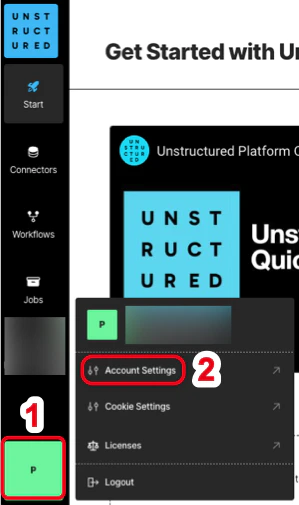
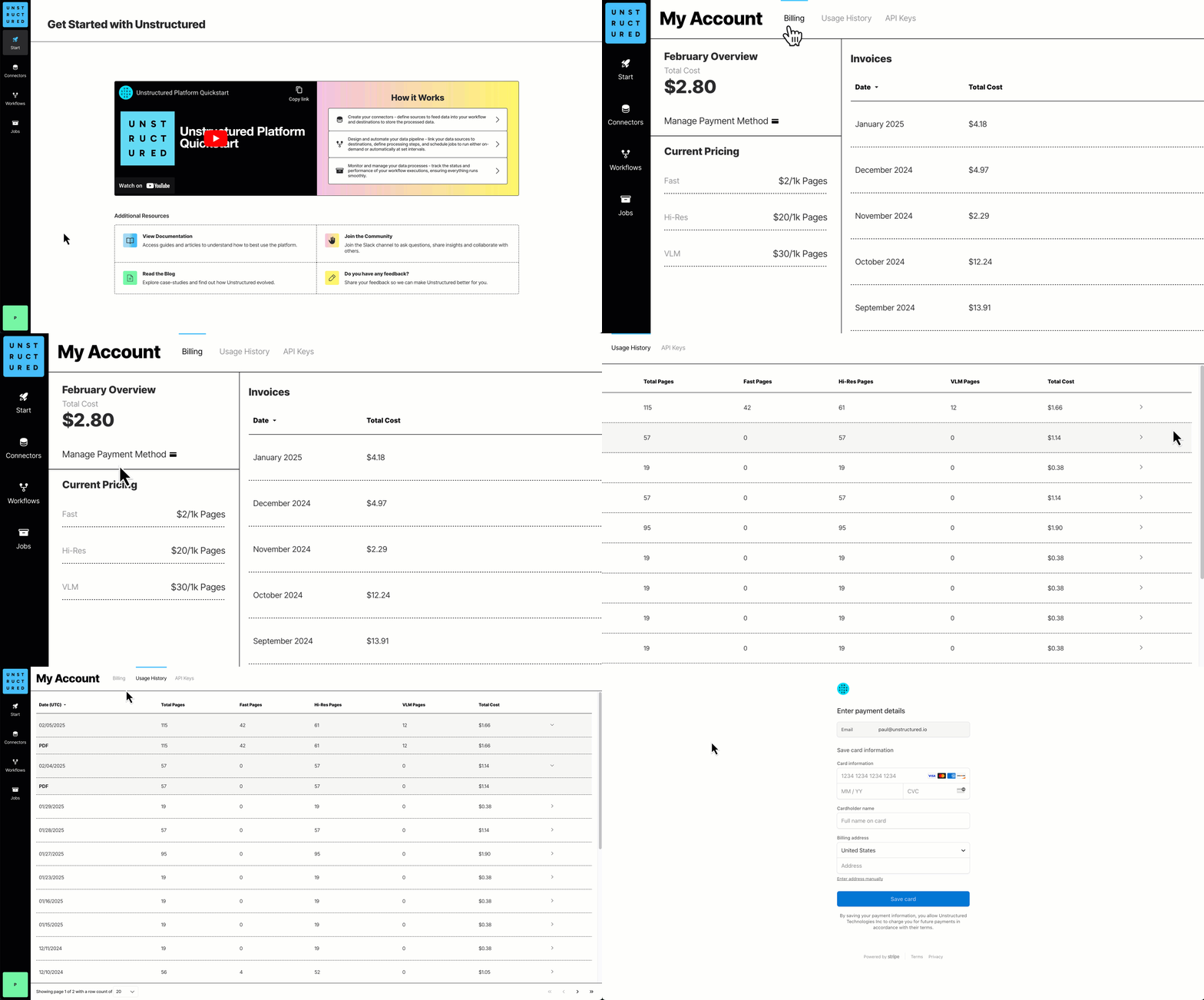
- Sign in to your Unstructured account.
- At the bottom of the sidebar, click your user icon, and then click Account Settings.
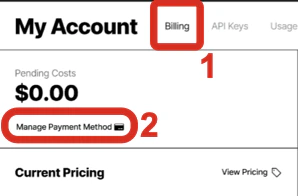
- Click the Billing tab.
- Click Manage Payment Method, follow the on-screen instructions to enter or update your payment details, and then click Save card.
View billing details
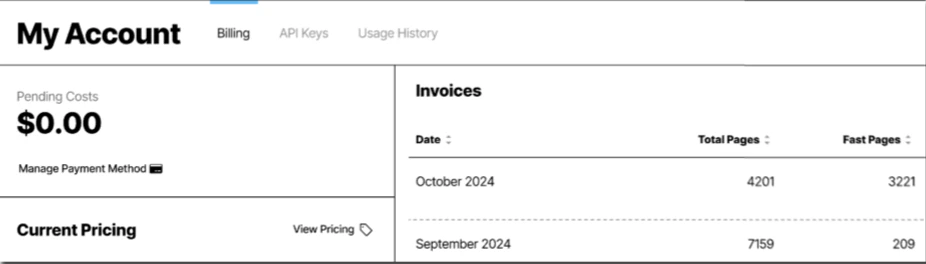
- Sign in to your Unstructured account.
- At the bottom of the sidebar, click your user icon, and then click Account Settings.
- Click the Billing tab. A billing overview for the current month and a list of your billing invoices are displayed.
How is pay-per-page billing calculated?
Unstructured calculates a page as follows:- For these file types, a page is a page, slide, or image:
.pdf,.pptx, and.tiff. - For
.docxfiles that have page metadata, Unstructured calculates the number of pages based on that metadata. - For all other file types, Unstructured calculates the number of pages as the file’s size divided by 100 KB.
- For non-file data, Unstructured calculates a page as 100 KB of incoming data to be processed.